AI Coding Agents Compared in 2026: Claude Code, Cursor, Codex, Gemini CLI, and OpenCode
Claude Code, Cursor, Codex CLI, Gemini CLI, and OpenCode are the agents developers actually reach for in 2026. Here's an honest comparison of where each fits, plus how to read the benchmark and popularity numbers without being misled.
Usman Akram · · 6 min read
Last verified June 2026. The models behind these tools and their benchmark scores change constantly, and several numbers below are vendor-reported, so treat this as a dated snapshot and check current figures before making a call on them.
Ask a room of developers which AI coding agent is best and you'll get a small argument, because the honest answer is "it depends," and the things it depends on are real. These tools have genuinely different shapes. Some live in your terminal, some are full editors, some bring their own model and some let you bring yours. So instead of pretending there's one winner, let me lay out the field as it actually stands in mid-2026 and help you match a tool to how you work.
The short version
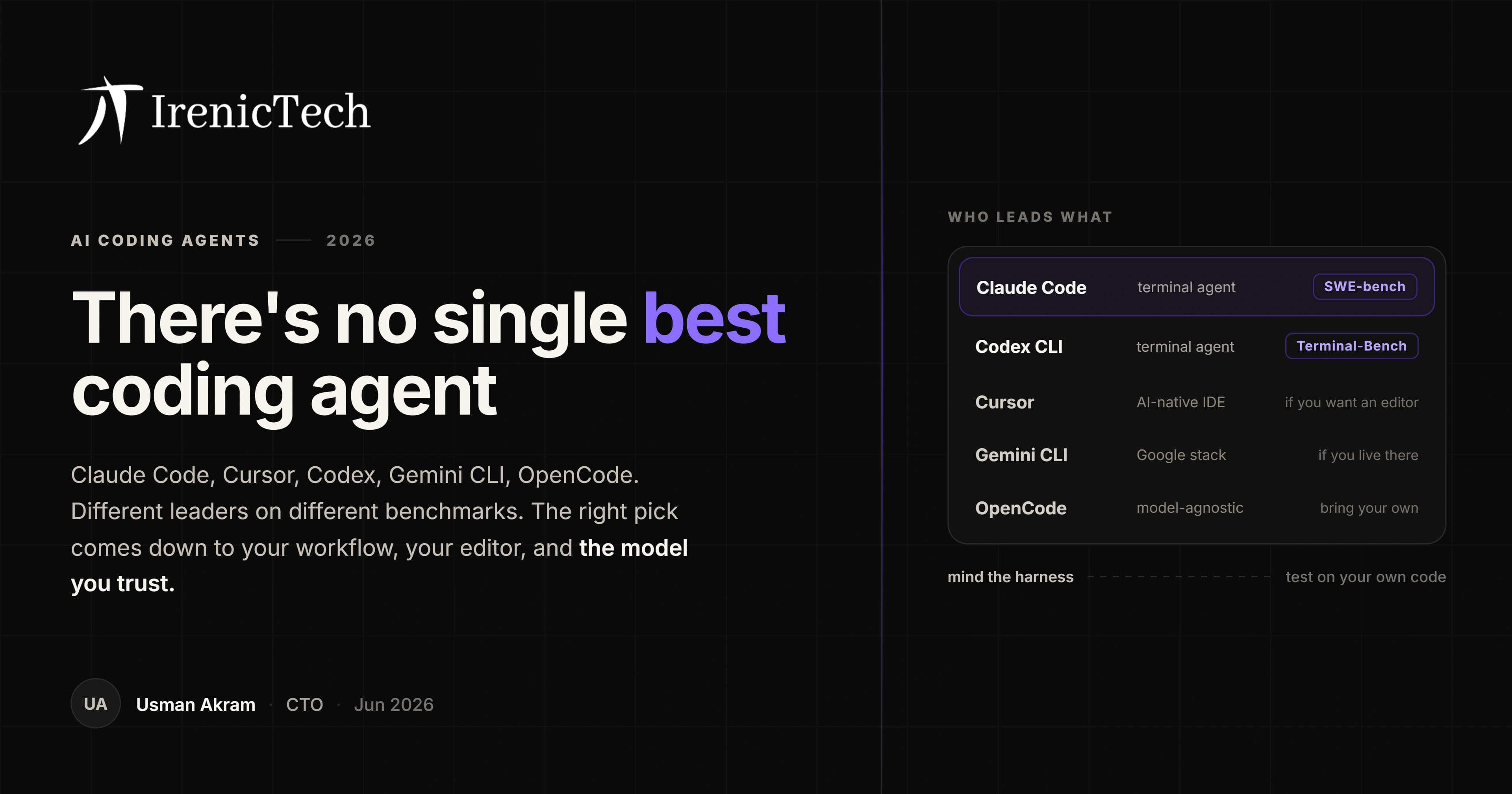
Claude Code, running Claude Opus 4.8, currently leads the SWE-bench Verified coding benchmark. Codex CLI, running GPT-5.5, tops Terminal-Bench. Cursor is the strongest choice if you want a polished AI-native editor instead of a terminal tool. Gemini CLI is the natural pick inside Google's ecosystem. And OpenCode and Aider lead the model-agnostic camp if you'd rather not be tied to one provider. There's no universal best, only a best for your workflow.
The contenders
Here's the field, with the durable facts. Star counts are a rough popularity signal as of June 2026, not a quality score, and Cursor is closed-source so it doesn't have a representative one.
| Tool | Type | Default / best model | GitHub stars (approx) | Model choice |
|---|---|---|---|---|
| Claude Code | Terminal CLI (+ editor) | Claude Opus 4.8 | ~135k | Claude models |
| OpenCode | Terminal CLI | Bring your own | ~180k | Any (BYO) |
| Gemini CLI | Terminal CLI | Gemini 3 Pro | ~106k | Gemini models |
| Codex CLI | CLI + IDE ext + cloud | GPT-5.5 | ~94k | OpenAI models |
| Cline | VS Code extension | Bring your own | ~64k | Any (BYO) |
| Aider | Terminal CLI (pairing) | Bring your own | ~47k | Any (BYO) |
| Cursor | AI-native IDE (VS Code fork) | Composer 2.5 (+ routing) | closed source | In-house + others |
One honest note on the star counts: OpenCode's number is strikingly high, higher than Claude Code's, which is worth a raised eyebrow given the project changed hands recently. Stars measure attention and open-source reach, not how good the tool is or how many people use it daily, so read that whole column as "mindshare," loosely.
How to read the benchmark numbers
This is where most comparisons quietly mislead, so it's worth slowing down. The two benchmarks that matter for coding agents are SWE-bench Verified, which tests resolving real GitHub issues, and Terminal-Bench, which tests completing tasks in a terminal. The trap is in who the score belongs to.
A benchmark result belongs either to the raw model on a neutral, shared harness, or to that model running inside a specific tool's own harness, with its prompts, tools, and retries. The harness alone can move the number by several points. To make that concrete: the same Claude model scores meaningfully higher on Terminal-Bench inside the Claude Code harness than on a neutral public harness, and GPT-5.5's strongest Terminal-Bench figure comes from running inside Codex CLI. Neither is cheating. It just means a tool's headline number is partly the model and partly the wrapper, and you can't cleanly compare two tools' numbers unless you know they were measured the same way.
With that caveat stated, the directional picture as of June 2026: Claude Opus 4.8 leads SWE-bench Verified among shipping models, with a score in the high 80s, which is why Claude Code tops that particular board. GPT-5.5 inside Codex CLI leads Terminal-Bench. You'll also see eye-popping numbers in the mid-90s attached to preview or experimental models on some aggregators; those aren't the production model behind any of these tools today, so leave them out of a real comparison.
The sane way to use any of this: let benchmarks narrow your shortlist, then weight your own experience on your own codebase far more heavily. A tool that scores a point higher on a public benchmark but fights you on your actual project is the worse tool for you.
Match the tool to how you work
Capability is close enough at the top that fit matters more than score. A few honest distinctions:
If you live in the terminal and want an agent you drive and wire into your own workflow, Claude Code and Codex CLI are the heavyweights, each strongest with its own provider's model. If you want a full editor experience with AI woven through it, Cursor is the most polished, and being a VS Code fork it'll feel familiar immediately. If your stack and your data already sit in Google's world, Gemini CLI removes friction. And if you specifically don't want to be locked to one model provider, OpenCode, Aider, and Cline are built around bring-your-own-model, which also lets you point them at a self-hosted open-weight model if control and data residency matter to you.
There's also a quieter consideration: lock-in. The single-provider tools are excellent but tie you to one model family's roadmap and pricing. The model-agnostic tools trade a little polish for the freedom to switch. Which way you lean is a strategic call, not just a feature comparison.
About those ROI numbers
You'll see impressive enterprise figures attached to these tools, and they're worth understanding rather than dismissing. The telecom TELUS, for instance, reports shipping code around 30% faster and saving hundreds of thousands of hours, with large headline dollar benefits across its generative-AI work. Real and encouraging, with two honest caveats: these are self-reported in vendor case studies, not independent audits, and the biggest figures usually cover a company's entire AI program, not a single coding tool. Read them as evidence that the gains are real for teams who adopt well, not as a guaranteed number you'll hit.
The variance is the point. The same tool can transform one team's throughput and barely move another's, and the difference is rarely the tool. It's how the team adopts it, reviews its output, and builds the guardrails around it, which matters more as the agent does more on its own.
How to choose, and the part that outlasts the tool
Pick the tool that fits your workflow and the model you trust, try it on your real work for a week, and don't agonize, because they're all good enough that switching later is cheap. The harder and more durable question isn't which agent you use. It's how you use any of them responsibly: keeping a human in the loop, scoping what the agent can touch, and reviewing what it ships, exactly the discipline we lay out in what agentic AI development actually is and shipping AI-built apps without the breach. The tool will change. That practice is what keeps the speed from turning into a mess.
If you're adopting AI coding agents across a team and want help setting them up to move fast without the cleanup bill later, that's the kind of work we do on our AI-native engineering service. Tell us how your team builds and book a discovery call, and we'll give you a straight answer for your case.
Frequently asked
What is the best AI coding agent in 2026?
There's no single winner, and it depends on what you need. As of mid-2026, Claude Code (running Claude Opus 4.8) leads on the SWE-bench Verified coding benchmark, while Codex CLI (running GPT-5.5) tops Terminal-Bench. Cursor is the strongest pick if you want an AI-native IDE rather than a terminal tool, Gemini CLI is compelling if you're in Google's ecosystem, and OpenCode and Aider are the leading model-agnostic options if you want to bring your own model. The best choice is the one that fits your workflow and the model you trust most.
Is Claude Code better than Cursor?
They're different shapes of tool, so it's not a straight contest. Claude Code is a terminal-based agent that runs Claude models and integrates with your editor, and it currently leads the SWE-bench Verified coding benchmark. Cursor is a full AI-native IDE, a fork of VS Code, with its own in-house model plus the ability to route to others. If you want a polished editor experience, Cursor fits; if you prefer an agent you drive from the terminal and wire into your own workflow, Claude Code fits. Many developers use both.
How are AI coding agents benchmarked, and can I trust the scores?
The main benchmarks are SWE-bench Verified (resolving real GitHub issues) and Terminal-Bench (completing terminal tasks). Trust them only with context. A score belongs either to the underlying model on a neutral harness or to the model inside a specific tool's harness, and the harness alone can shift the result by several points, so the same model can post different numbers depending on the tool. Treat benchmarks as a rough guide, and weight your own experience on your own code more heavily.
Do AI coding agents actually deliver ROI for businesses?
The reported results are strong but come from vendor case studies, so read them as directional. One widely cited example is the telecom TELUS, which reports shipping code roughly 30% faster and saving hundreds of thousands of hours across its broader generative-AI program. Those are self-reported figures covering a whole AI initiative, not an independent audit of a single tool. The realistic takeaway is that the productivity gains are real for teams that adopt these tools well, with the size of the gain varying a lot by team and task.
CTO, IrenicTech
Usman is the CTO of IrenicTech. He builds AI agents, RAG systems, and automations into web and mobile products, and gets them shipped in weeks instead of quarters. He's focused on AI that learns from the people using it, and that's secure enough to trust with real data.
Connect on LinkedIn