Next.js vs WordPress: Which Should You Build Your Business Website On?
Next.js and WordPress solve different problems. This is a practical, no-hype comparison of performance, SEO, security, cost, and maintenance, with a clear way to pick the right one for your business website.
Usman Akram · · 4 min read
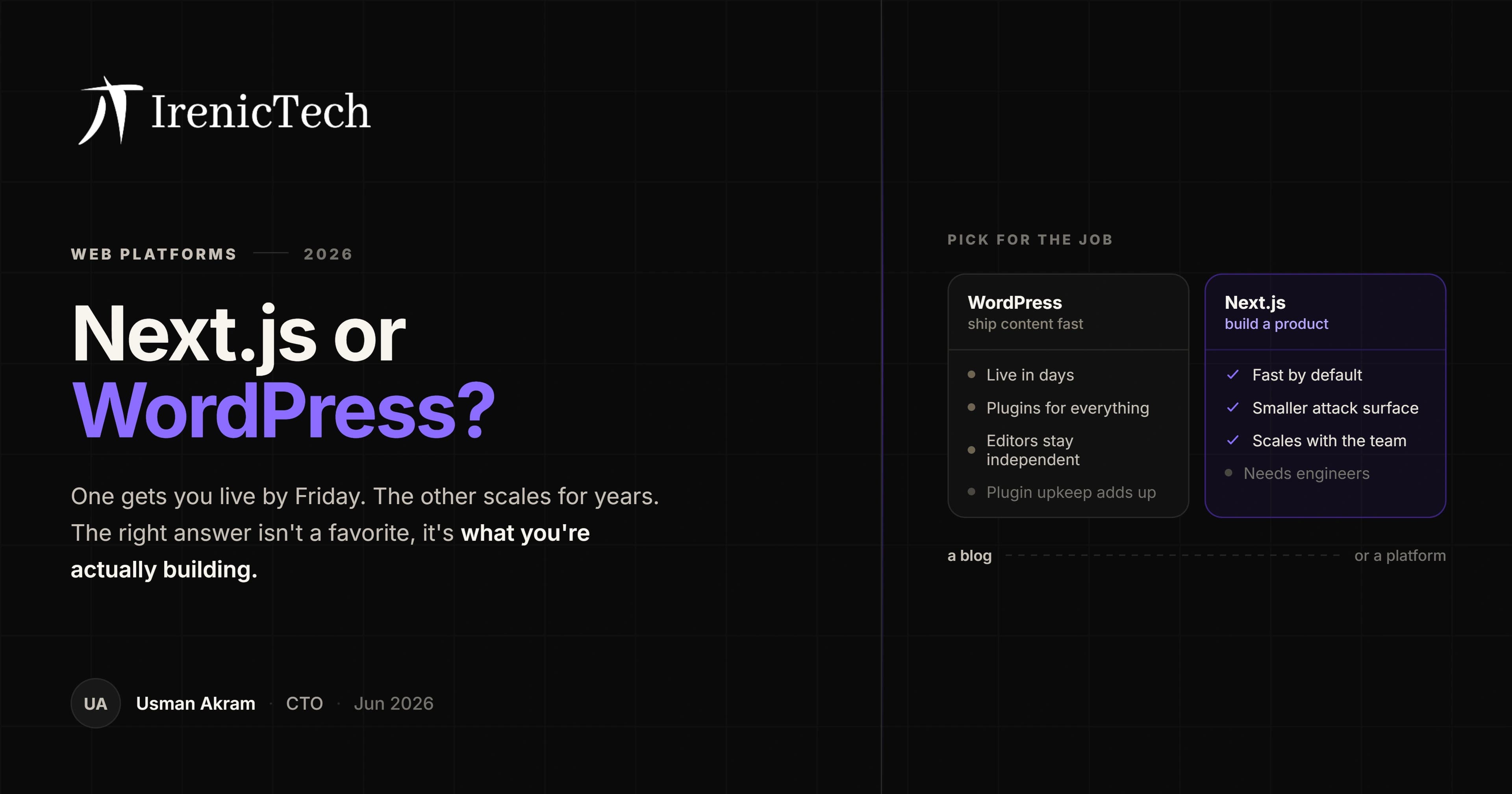
Ask "Next.js or WordPress" in the abstract and you get a religious war. Ask it about your actual website and the answer usually shows up in about two minutes. They are tools built for different jobs, so the trick is to name the job first and let the tool follow.
The short answer
WordPress is a content management system. Next.js is a framework for building fast, custom web apps. If your site is mostly pages and a blog that non-technical people update every week, WordPress earns its place. If it is a product, an app, or a marketing site where speed and conversion are the whole point, Next.js is the stronger base.
Here is the part that rarely gets said out loud: most "we need WordPress" requests are really about who edits the site, not about the technology. Once you separate "our marketing team needs to publish without a developer" from "we want WordPress," the decision gets a lot less ideological.
How they compare
| Factor | WordPress | Next.js |
|---|---|---|
| Best for | Content-first sites, blogs, brochure sites | Products, web apps, conversion-critical marketing |
| Performance | Good with effort and caching | Fast by default |
| Editing | Non-technical, built in | Needs a CMS layer or code |
| Customization | Themes and plugins | Unlimited, code-first |
| Security | Larger surface, plugin-driven | Smaller surface |
| Maintenance | Frequent plugin and core updates | Dependency updates, fewer of them |
| Upfront cost | Lower | Higher |
| Scaling cost | Rises with traffic and plugins | More predictable |
A table flattens nuance, so treat it as a starting point rather than a verdict. The rest of this piece is where the "it depends" actually lives.
Performance and Core Web Vitals
Next.js renders on the server and ships only the JavaScript a page needs, so it tends to pass Core Web Vitals without anyone fighting for it. That matters more than it sounds. Page speed is both a ranking signal and a conversion lever, and most people feel a slow site long before they could explain why they left.
WordPress can absolutely be fast. The catch is that "fast WordPress" is something you assemble: caching, a CDN, a disciplined theme, and a hard look at every plugin before you install it. The ceiling is similar. The starting line is not, and the starting line is where most sites quietly stay.
SEO
Both rank. The difference is how much control you have and how much effort it takes to use it. With Next.js you own the markup, the metadata, the canonical tags, and the structured data outright, which makes the finicky technical and answer-engine work straightforward. WordPress hands much of that to plugins like Yoast or Rank Math. They cover the fundamentals well, and they add weight. If your team lives in the editor, that trade is worth it. If you want every technical detail dialed in, the code-first route is cleaner.
Security and maintenance
WordPress runs a huge share of the web, which makes it a permanent target. Almost every breach you read about traces back to a stale plugin or theme rather than the core itself, so the real cost is ongoing: someone has to keep things patched, every week, indefinitely. Next.js has a smaller surface and no plugin marketplace to police. You still update dependencies, but there is simply less to leave unlocked. If nobody on your side owns security, the lower-maintenance option is the safer default by a wide margin.
Cost
WordPress is cheaper to start and cheaper to staff, because the people updating content do not need to be engineers. Next.js usually costs more up front, since it needs developers, and often costs less over time: no plugin licenses, far less security firefighting, and scaling that behaves predictably instead of surprising you on your busiest traffic day. So the cheaper option depends entirely on how custom and how busy the site really is.
Can you have both?
Yes, and plenty of teams do. Headless WordPress keeps the editor your marketers already know and turns WordPress into a pure content API, while Next.js renders the front end. You get familiar publishing with app-grade performance. The price is operational: now you run two systems instead of one, and someone has to care about both.
How to choose
Pick WordPress if the site is mostly content, your team publishes often without developers, and the plugin ecosystem already solves problems you would otherwise build from scratch.
Pick Next.js if the site is conversion-critical, needs custom product or app features, leans on AI or external services, or has to score well on Core Web Vitals.
If you are genuinely torn, that usually means the site is part marketing and part product, which is exactly where the headless middle ground fits, or a sign the call deserves a real conversation rather than a blog post. That tradeoff is the kind of thing we work through with clients on our web development service. Tell us what you are building and book a discovery call, and we will give you a straight recommendation for your case.
Frequently asked
Is Next.js better than WordPress for SEO?
For technical SEO and Core Web Vitals, Next.js usually has the edge because it ships fast, server-rendered pages with full control over markup, metadata, and structured data. WordPress can rank just as well with disciplined hosting, a lightweight theme, and a caching setup, but it takes more effort to reach the same performance baseline that Next.js gives you by default.
Is WordPress cheaper than Next.js?
WordPress is usually cheaper to start and to staff, because hosting is inexpensive and non-developers can manage content. Next.js can cost more up front since it needs developers, but it often costs less to scale and maintain because there are no plugin license fees and far less security patching. Total cost depends on how custom and high-traffic the site is.
Can you use WordPress as a backend for Next.js?
Yes. A common setup is headless WordPress, where editors use the familiar WordPress admin to manage content and Next.js renders the front end via the WordPress REST or GraphQL API. You get WordPress editing with Next.js performance, at the cost of running and maintaining two systems.
When should a business choose Next.js over WordPress?
Choose Next.js when the site is conversion-critical, needs custom product or app features, integrates with AI or external APIs, or has to score top marks on Core Web Vitals. Choose WordPress when the site is mostly content, the team publishes frequently without developers, and a large plugin ecosystem matters more than peak performance.
CTO, IrenicTech
Usman is the CTO of IrenicTech. He builds AI agents, RAG systems, and automations into web and mobile products, and gets them shipped in weeks instead of quarters. He's focused on AI that learns from the people using it, and that's secure enough to trust with real data.
Connect on LinkedIn